Technical Knowledge
HIS Integration for Hospital Self-Service Terminals
What the hardware supplier needs to know before the software work starts — interface types, identity services, print routing, event reporting and the enclosure consequences of each integration decision.
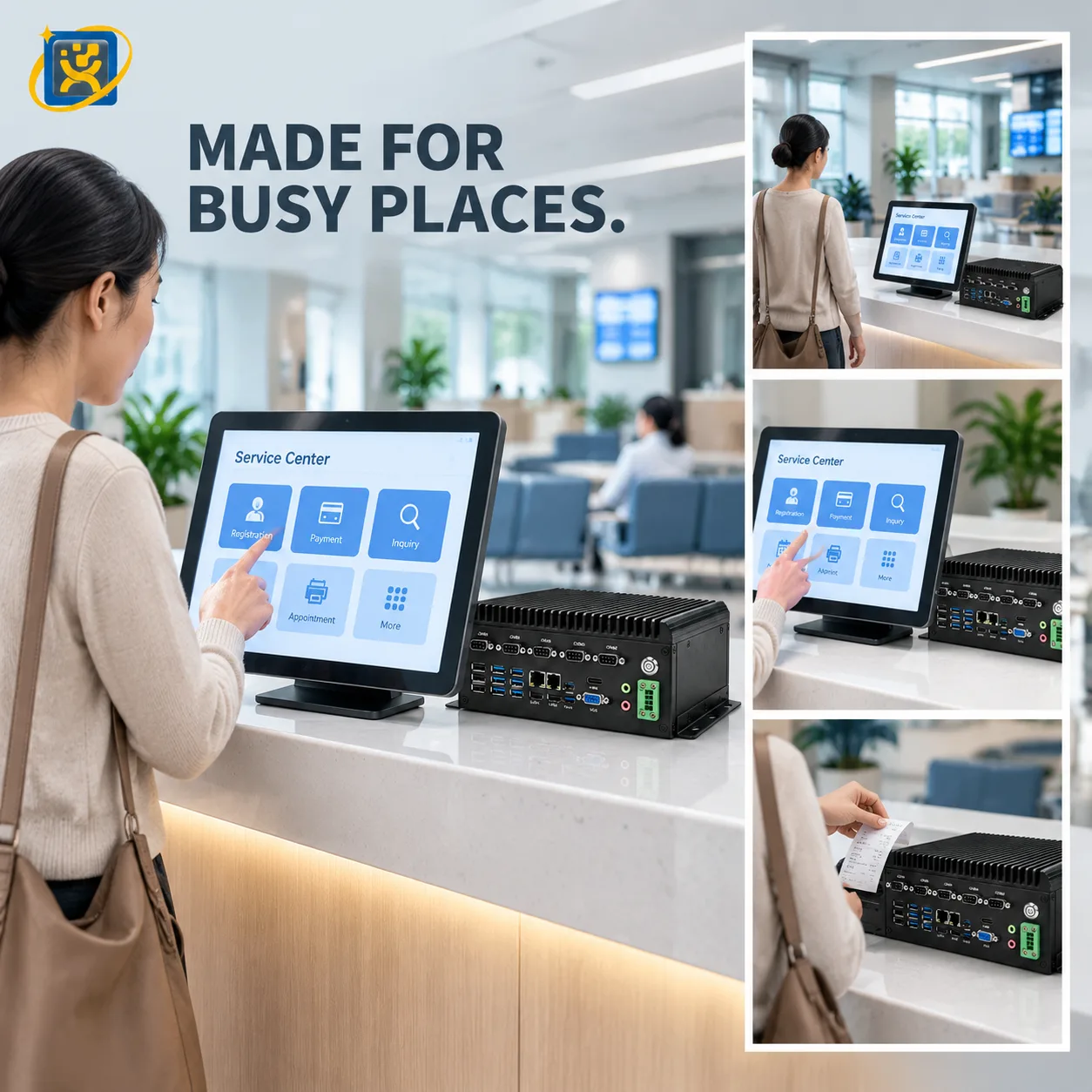
The integration between a self-service terminal and a hospital information system is a software project. But the decisions taken during that software project determine hardware requirements — often after the enclosure has been specified. This article sets out the integration points that have hardware consequences, so they can be settled early.
The division of responsibility
Three parties are involved, and confusion about who owns what is the most common cause of delay:
The hospital. Owns the process, the data and the acceptance criteria.
The software vendor or integrator. Owns the application, the interfaces to the hospital systems, and the client that runs on the terminal.
The hardware manufacturer. Owns the terminal, the computing platform, the peripheral modules, the drivers and the enclosure.
The boundary that causes trouble is the driver layer. If the software vendor expects the manufacturer’s driver and the manufacturer expects the vendor’s SDK, the gap is discovered at commissioning. Agree explicitly, in writing, which peripherals are driven by which layer.
Integration point 1: identity and document reading
This is the integration most likely to change the hardware, so it is settled first.
What the software needs. Raw document data, a parsed record, or an image of the document — the three are very different in their interface requirements.
What the hardware provides. A reader module with a driver or an SDK, returning a data structure. Whether the software consumes the vendor SDK or expects a standard interface determines the driver strategy.
What changes the enclosure. The reader’s physical size, its mounting position and its cable route. A module specified late means a front-panel change.
Common reader types in this category:
| Reader | Reads | Notes |
|---|---|---|
| Contact IC | Chip card | Insertion slot required; position affects usability |
| Contactless / RFID | Proximity card | Flat antenna area behind the front panel |
| MRZ / OCR | Passport, ID document | Camera or scanner module; needs a defined capture position |
| Barcode / QR | Appointment confirmations | Scanner or camera; the cheapest and most reliable option for phone-based bookings |
Integration point 2: how the terminal talks to the hospital
Two architectures are common, and they have different hardware implications.
Direct integration. The terminal’s application talks to the HIS or queue server over the hospital LAN. This requires a network drop at every terminal position, and a stable IP configuration. The computing platform needs a wired Gigabit interface — wireless is possible but introduces a failure mode in a hospital environment where interference from medical equipment is real.
Middleware integration. A local service acts as a broker between the terminal and the hospital systems. This is common where the hospital will not expose the HIS directly, or where several terminal types must be normalised. The middleware runs on the terminal itself or on a local server — and if it runs on the terminal, the computing platform needs the memory and storage headroom to host it.
Which architecture applies determines whether the terminal needs a full industrial PC or can use a lighter embedded platform.
Integration point 3: print routing
Printing looks trivial and causes a disproportionate share of integration problems.
Queue tickets and receipts. Normally printed from the terminal application directly to a thermal printer over the manufacturer’s driver. Straightforward, provided the paper width and the character encoding are agreed.
A4 forms. Usually generated by the hospital system and printed at the terminal. This requires the terminal to receive a print job, which means a print client on the terminal, which means the operating system matters.
Wristbands, labels and special media. Where the process requires them, the printer becomes a specific model with its own driver and media path. Confirm the media specification — width, thickness, adhesive — before the printer is selected.
Where the print job originates is the question to ask. Terminal-generated and system-generated printing follow completely different paths.
Integration point 4: event reporting
What the terminal tells the hospital system, and when, determines both the software work and, in some cases, the reliability requirement.
Typical events:
- Patient identified
- Arrival confirmed
- Queue number issued
- Payment completed
- Session abandoned
- Hardware fault detected
The last two matter for hardware specification. If the hospital expects a fault event to reach a monitoring system, the terminal needs a management agent, which means the computing platform must support it and the network path must allow it.
If session-abandoned events are reported, the terminal needs to detect the timeout reliably — which is an application behaviour, but it depends on the platform’s power and sleep configuration.
Integration point 5: payment
Where the terminal collects a fee, the payment device is almost always the provider’s certified hardware rather than a function built into the kiosk. That device has three hardware consequences:
- Physical size — it occupies enclosure volume and front-panel area.
- Mounting — it must be reachable and readable by a standing user.
- Interface — it connects to the computing platform over a defined interface, which must exist on the platform chosen.
Confirm the payment device model and its mounting requirement before the enclosure drawing is finalised.
Integration point 6: remote management
For a fleet of terminals, remote management is not optional. The question is whether it runs on the terminal or alongside it.
On the terminal. An agent on the operating system reports status, applies updates and allows remote session access. This requires the computing platform to have the headroom and the operating system to permit it.
Alongside. A separate management channel or a hardware-level remote access module. More robust, more cost, and requires the network path to permit it.
Whichever applies, agree it before the platform is chosen rather than discovering at rollout that the agent does not support the operating system.
The pre-integration checklist
Send this to the software vendor before the hardware is specified:
- Which operating system and version does the client require?
- Which peripherals does the application drive directly, and via which driver or SDK?
- Which identity document types must be read, and in what output format?
- Does the terminal communicate directly with the hospital system or through middleware?
- Where does the print job originate — the terminal or the hospital system?
- Which events must be reported back, and to which system?
- Is a payment device involved, and which model?
- Is a remote management agent required, and does it support the chosen operating system?
Eight answers, and the hardware specification becomes straightforward. Without them, the specification is a guess that gets corrected at the buyer’s expense.
What the hardware supplier can do to help
A manufacturer who has worked on hospital deployments will recognise most of these requirements from the first conversation. The useful questions to ask are whether they can supply an evaluation unit for the software vendor’s test environment, whether they hold configuration records for repeat builds, and whether they provide the interface and mounting documentation before installation rather than with the shipment.
Those three things remove most of the schedule risk from a self-service integration project.
Written by the YUEQIANXIANG Engineering Team. This article describes general practice in self-service terminal specification and integration. Specific requirements vary by market, system and site — confirm the details against your project before committing to a configuration.
Request a quotation
Tell us the application, the quantity and the systems involved. If your question is about a configuration described in this article, mention it — it speeds up the reply.